Making a hero with Ro
Your hero is born in a live conversation. Ro asks questions, you tell her about yourself, and the portrait and personality take shape as you go.
Start the conversation
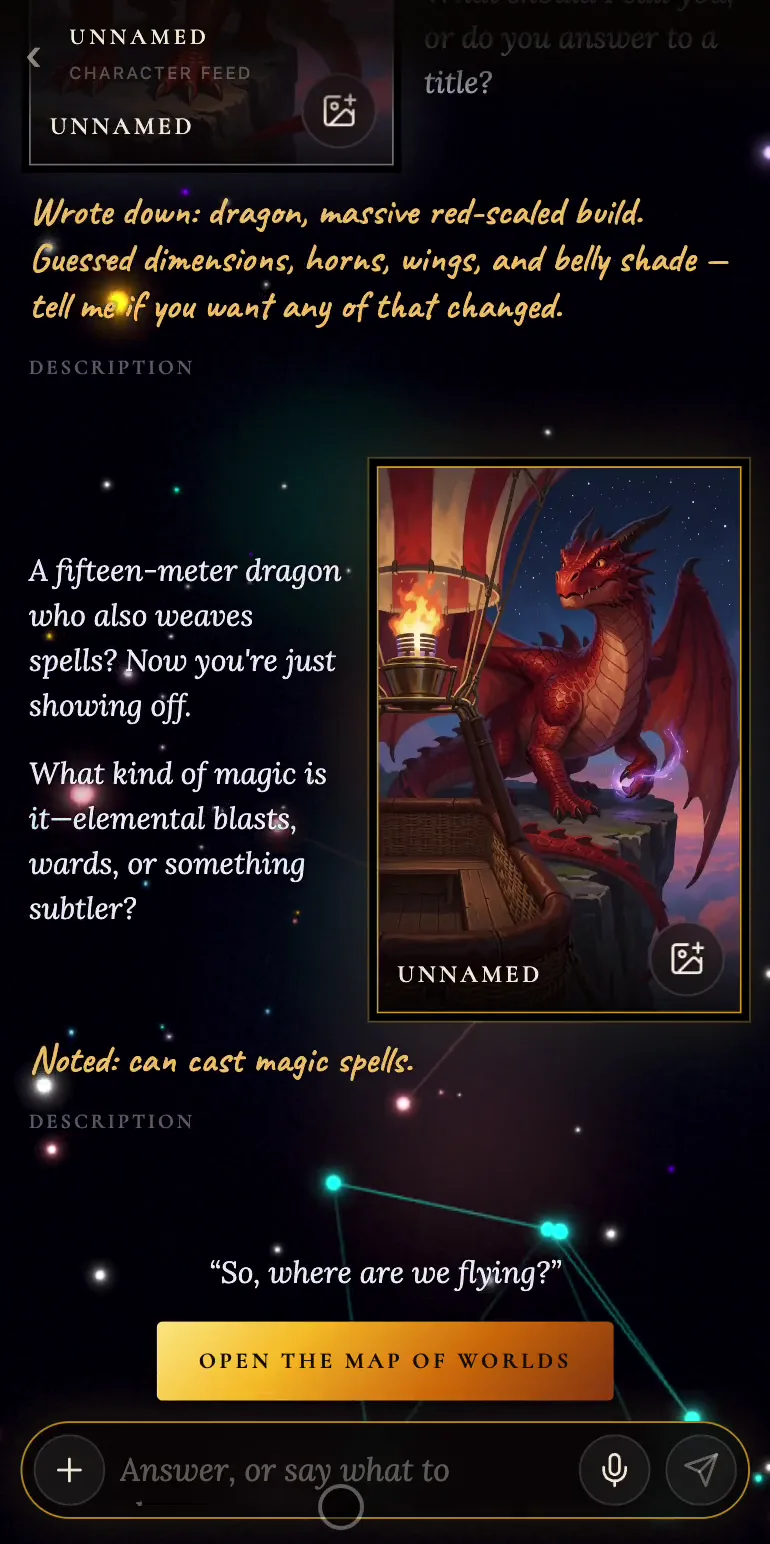
Open Characters and press Tell her about yourself. Ro is a balloon pilot with half a map, and before she flies anywhere she wants to know who you are.
Answer in the box at the bottom. You can type, or press the mic and dictate if your browser recognizes speech: your words land in the box and you send them as usual. One line is enough to start, but a whole paragraph is fine too.
Each answer adds a new frame to the conversation. Ro comments on what you said, and under her reply a gold note shows everything she took down. If she made something up on her own, you'll see it right there and can correct her.
Portrait and name
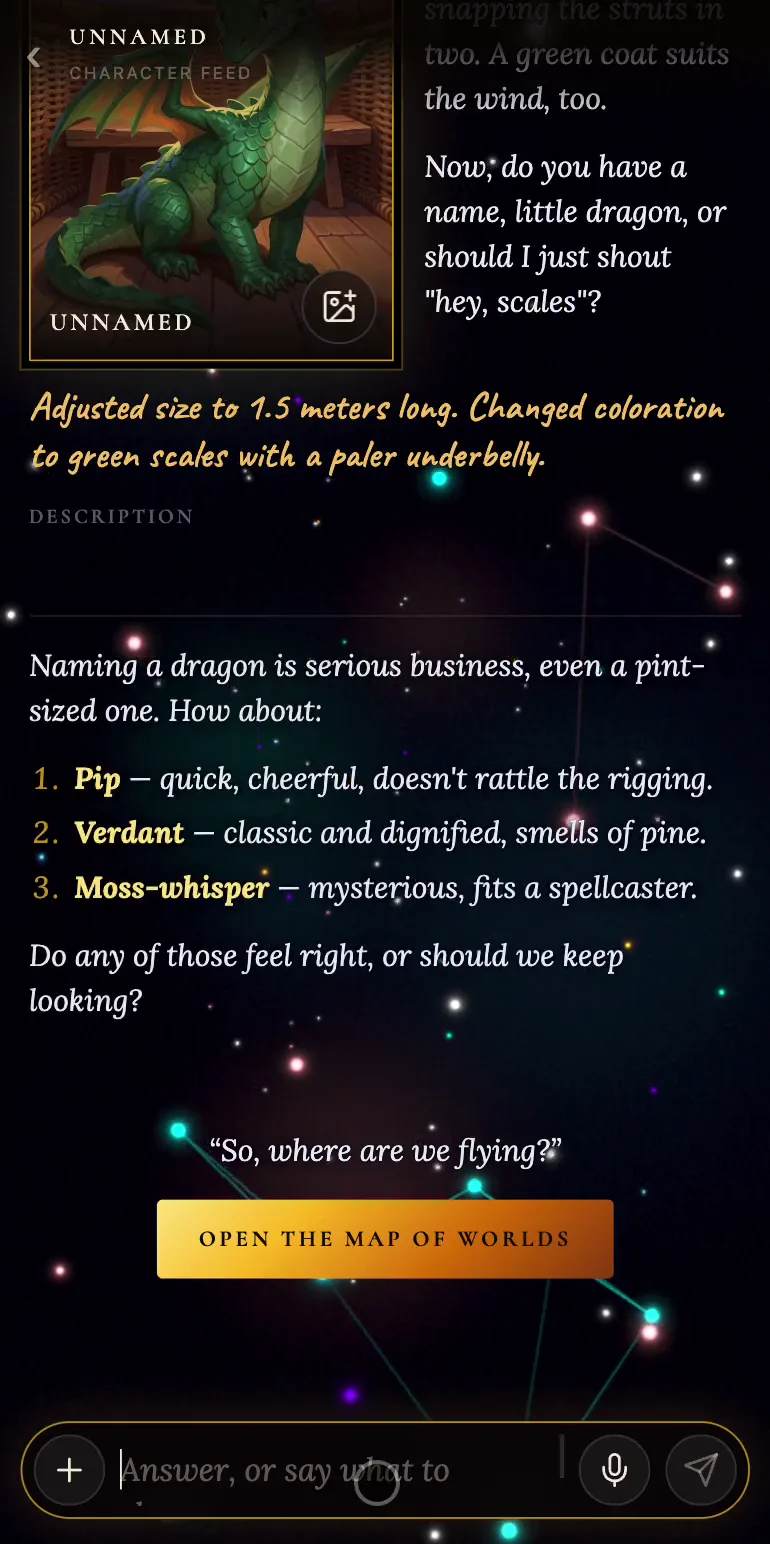
The portrait is drawn as soon as Ro knows your species and the main features of how you look. Until then the card hints: No frame yet — say what they look like. While it's being drawn, you'll see Painting…. Don't like the result? Just press Draw it again.
Ro won't make up a name for you. If nothing comes to mind, ask her and she'll offer a few to choose from.
The full profile
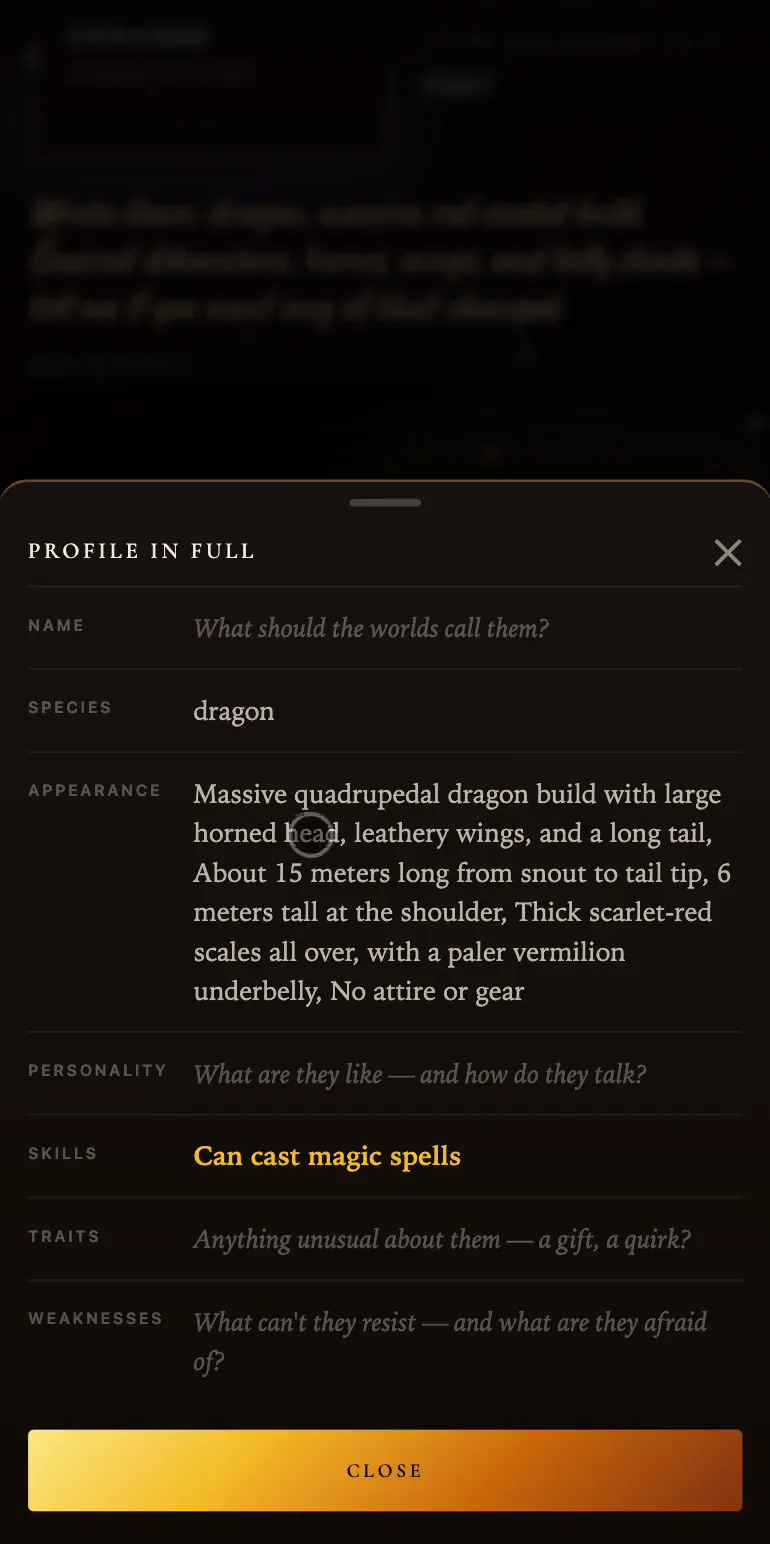
The Description link opens Profile in full with seven fields: name, species, appearance, personality, skills, traits and weaknesses. An empty field shows the question Ro is still waiting to have answered.
There's no save button here: every change is applied the moment you make it. The card in the gold frame shows your hero as they are now. When you're happy with the result, scroll down the feed and press Open the map of worlds.