Changing your hero
No forms, no fields: just tell Ro in your own words what you'd like to change.
Say what to change
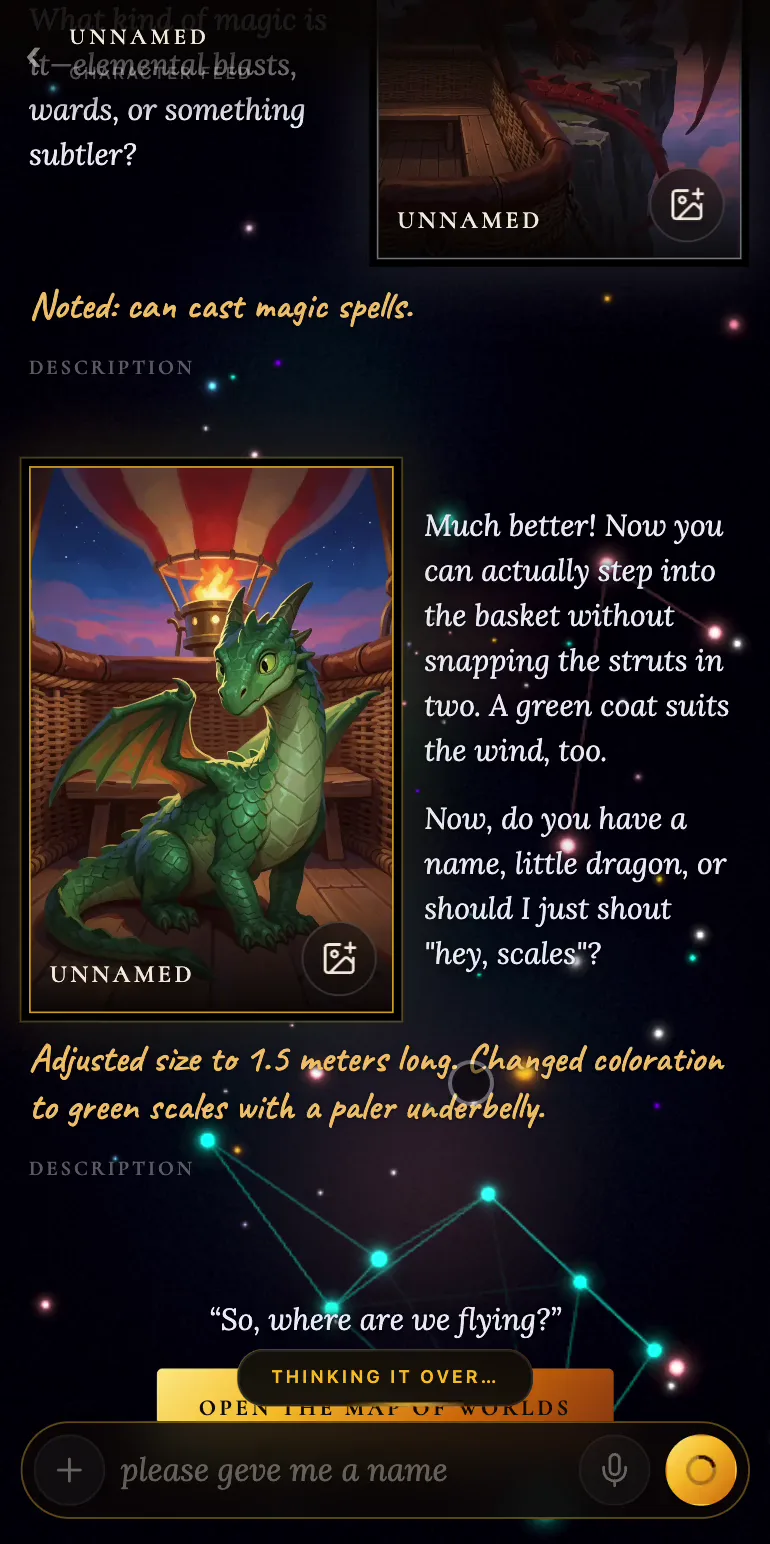
Open your hero from Characters, or press the portrait (or the Edit wand) on the hero's page, and you're back in the same conversation with Ro. Type or dictate what you'd like to change: for example, "make me green" or "I'm only a meter and a half long".
Ro applies the change at once and marks it with a gold note, something like Adjusted size to 1.5 meters long. Changed coloration to green scales. Then the artist draws a new portrait. If nothing you said changes the hero, Ro will say so: Nothing in that changed the character.
Show Ro a picture
Got a picture your hero should look like? Upload it with the + next to the input box. The artist will study the reference and list the changes it suggests. Tick the ones you want and press Apply, or choose Keep as reference only if you don't want to change anything yet.
From then on, every new frame is drawn with that picture in mind. And where it disagrees with the profile, the profile comes first.
Picking the portrait
A card can hold several pictures, and you can flip through them with the arrows. Whichever one you leave showing on the newest card becomes the portrait. Don't like any of them? Press Draw it again, and the artist will have another go.
Changes and stories you've started
A hero is carried into a world at the moment you take a part. So changes you make later only take effect in the next world. In a story you've already started, your hero stays the way they were when they came in.
It doesn't work the other way round yet either: what happens in a story doesn't change the hero on the Characters page. But carrying earned skills between worlds is already on our roadmap.